
In this tutorial, you will learn how to get all the products sold by an Etsy shop without using any scraping software, legally, by utilizing the HAR file from your browser.
Step 1: Capture the HAR File
The steps on Firefox :
- Navigate to the Etsy Shop:
- Go to the Etsy shop you want to scrape and click on “NUMBER Sales”.
- This will take you to a URL like:
https://www.etsy.com/shop/oliveandpip/sold.
- Go to the Reviews Page:
- Navigate to the second page of the sale product.
- Open Developer Tools:
- Press
F12to open the Developer Tools. - Go to the “Network” tab.
- Press
- Enable Log Preservation:
- Select “Persist log” on the setting to keep the network logs even when navigating to different pages.
- Filter URLs:
- On “Filter URLs” put :
sold?ref
- On “Filter URLs” put :
- Navigate Through the Pages:
- Start navigating through the pages of sold items, starting from page 1, then 2, 3, and so on, until the end.
- Download the HAR File:
- Once you have navigated through all the pages, right-click on the network requests list and select “Save All As HAR”.
Step 2: Analyze the HAR File with Our Tool
- Visit the Tool:
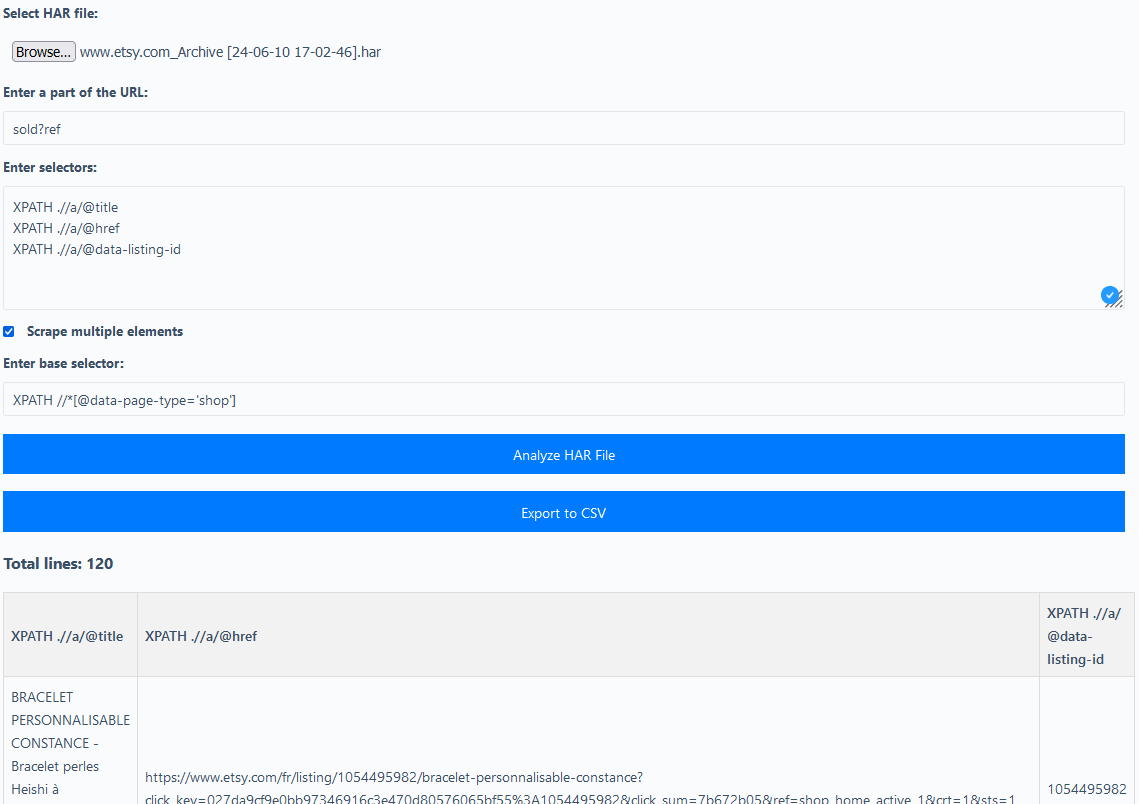
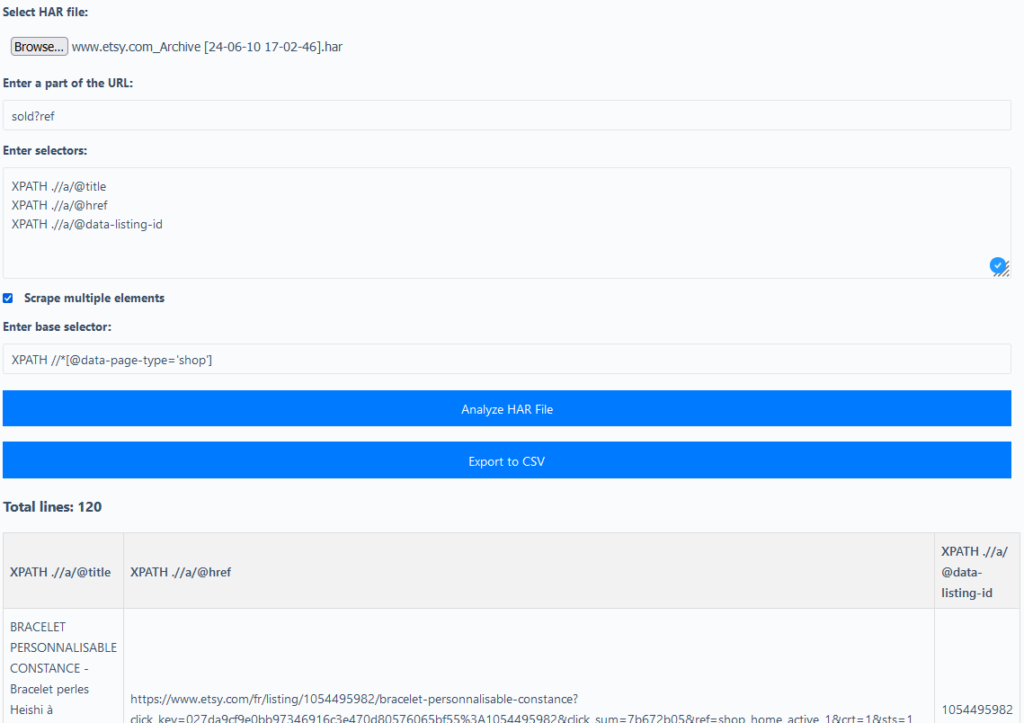
- Go to Scraprover HAR XPath Scraper.
- Upload the HAR File:
- Select and upload the HAR file you just saved.
- Enter URL Part:
- In the field “Enter a part of the URL“, input:
sold?ref- Enter XPath Selectors:
- In the field “Enter XPath or CSS selectors, one per line“, input the following:
XPATH .//a/@title
XPATH .//a/@href
XPATH .//a/@data-listing-id
Specify Elements to Scrape:
- In the field “Scrape multiple elements”, input:
XPATH //*[@data-page-type='shop']Analyze the HAR File:
- Click on the button “Analyze HAR File”.
Export the Results:
- Once the analysis is complete, you will see the results.
- You can download the results as a CSV file by clicking on “Export to CSV”.