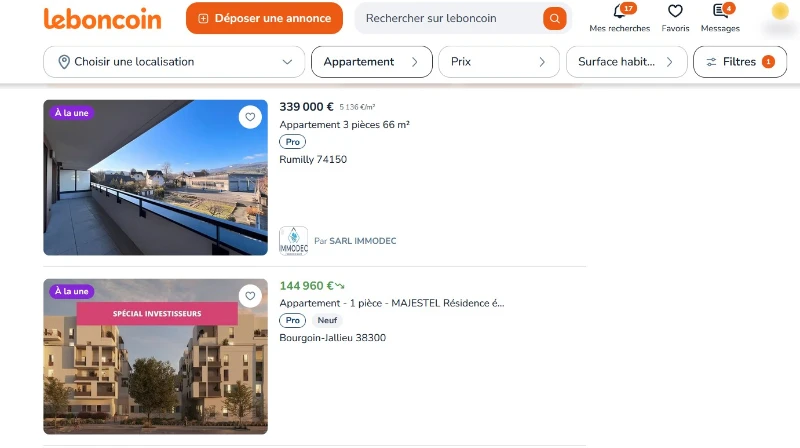

In this tutorial, you will learn how to get all the listings on Leboncoin without using any scraping software, legally, by utilizing the HAR file from your browser.
*This video is in French, but you can enable subtitles.
Step 1: Record the HAR File
The steps on Firefox :
- Navigate to Leboncoin:
- Go on
leboncoin.fr.
- Go on
- Open Developer Tools:
- Press
F12to open the Developer Tools. - Go to the “Network” tab.
- Press
- Enable Log Preservation:
- Select “Persist log” on the setting to keep the network logs even when navigating to different pages.
- Filter URLs:
- On “Filter URLs” put :
api.leboncoin.fr/finder/search
- On “Filter URLs” put :
- Navigate Through the Pages:
- Search for what you want to scrape on Leboncoin.
- Example:
https://www.leboncoin.fr/f/ventes_immobilieres/real_estate_type--2. - Go to all the pages you want to scrape.
- Download the HAR File:
- Once you have navigated through all the pages, right-click on the network requests list and select “Save All As HAR”.
Step 2: Analyze the HAR File with Our Tool
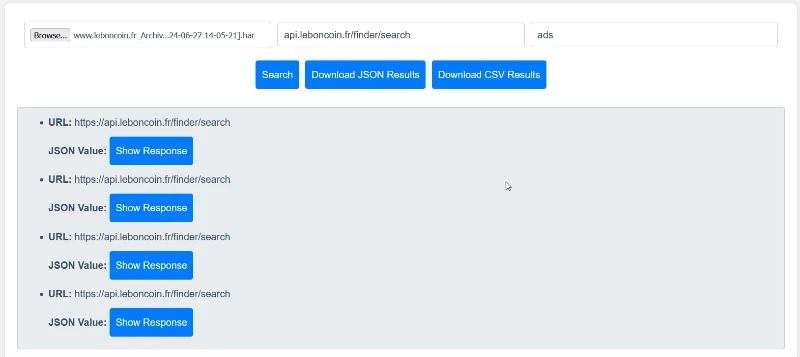
- Visit the Tool:
- Go to Scraprover HAR JSON Scraper.
- Upload the HAR File:
- Select and upload the HAR file you just saved.
- Enter URL Part:
- In the field “Enter a part of the URL“, input:
api.leboncoin.fr/finder/search- Enter JSON Selectors:
- In the field “Enter XPath or CSS selectors, one per line“, input the following:
adsAnalyze the HAR File:
- Click on the button “Search”.
Export the Results:
- Once the analysis is complete, you will see the results.
- You can download the results as a CSV file by clicking on “Download CSV Results”.
LOL. The youtube subtitles are also in French which does not help your English speaking users.